Digital Painting in 6 simples steps.
These were some of the most recurring doubts I had at the beginning of my studies, a few years ago. So, in addition to showing a little of my coloring process, I hope this tutorial is somehow useful to my illustrator friends.


1) Invest time in the sketch, plan your drawing, do not rush.
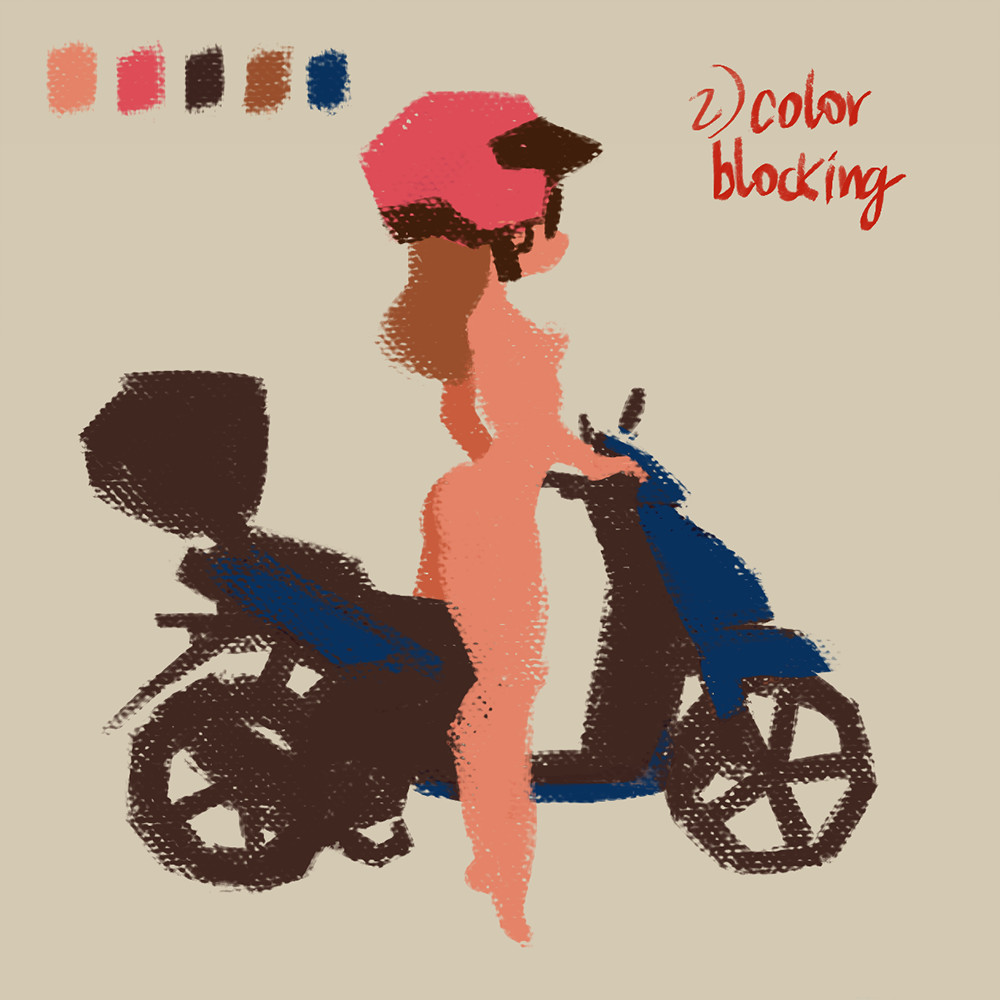
2) Choose neutral colors and define the shapes, if you are using Photoshop, apply in the layers the command: Lock> Lock Transparent Pixels. So now you can color without worrying about the edges.

3) To apply shade, use derived colors from which you have previously chosen, avoid black, it can foul your colors, for clear skin I always advise reddish tones.

4) To apply soft lighting, look for light tones. Raise your palette while avoiding white. (100% white is used in rare cases, such as Hi light, this will depend on the material in which it will be applied).

5) Hi Light. Apply super saturated tones, if necessary, apply a few small white studs if the material is very shiny, such as the helmet. Also apply some shades of orange to the skin, as the direct illumination of the sun causes translucency

6) The same color principle for the Background. An important detail about the Fill Light, usually in an outdoor scene this, the shadow is affected by the light of the sky, which is often blue, leaving the shade with a violet and bluish hue.